How to add Bywell to ChatGPT
Bywell is in ChatGPT's plugin directory. Once you add it, ChatGPT can answer questions about your portfolio: what you own, how concentrated you are, what reports earnings this week, and what you wrote about a stock when you bought it. Setup takes a few minutes, and you never type a password into the chat.
Before you start
- A ChatGPT account on the web or desktop app. Plugins depend on your ChatGPT plan, and on a work account your admin may need to allow them.
- A Bywell account. If you don't have one, you can create it during setup. It's free to start.
- Optional: a linked brokerage. With Bywell Pro, link Wealthsimple, Questrade, TD Direct Investing, Interactive Brokers or 20+ others, read-only through SnapTrade. On Free, you can add up to 5 holdings by hand.
Step by step
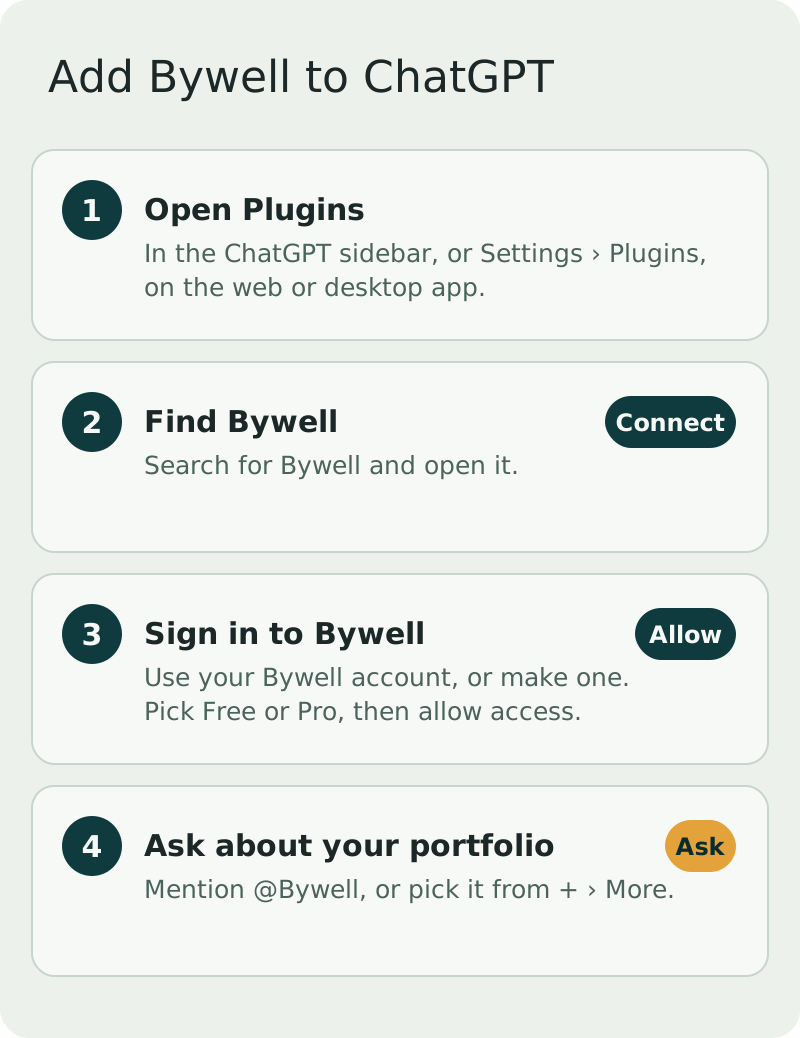
- Open Plugins. In ChatGPT, open Plugins from the sidebar, or go to Settings › Plugins.
- Find Bywell. Search for "Bywell", open it and select Connect.
- Sign in to Bywell. A Bywell page opens. Sign in, or create an account, pick Free or Pro, and select Allow and go back to ChatGPT.
- Ask a question. Back in ChatGPT, mention @Bywell in your message, or add it from + › More. Try "Give me a rundown of my portfolio."
If the answer matches your account, you're set. If ChatGPT says it can't reach Bywell, disconnect and connect again from Plugins.
What to ask
- "Give me a rundown of my portfolio. How concentrated am I?"
- "Which of my stocks report earnings in the next two weeks?"
- "Remind me the day before anything I own reports earnings."
- "Alert me if SHOP.TO falls below $100."
- "What did I write about NVDA when I bought it? Has anything changed?"
- "How much TFSA room do I have left this year?"
- "Continue my Bywell investing course."
There are more in AI investing prompts for your own portfolio.
What Bywell can and can't do in ChatGPT
Bywell can read your holdings, watchlists, alerts, notes, goals and course progress, and save changes you ask for, like adding a stock to a watchlist or setting a reminder. Everything it saves shows up in the Bywell app too.
It can't place trades, move money or see your brokerage password. It gives general information and education, not investment advice, and it's built to show both sides rather than tell you to buy or sell. Why read-only access is the safe way to do this is covered in Is it safe to connect your brokerage to an app?.
This is general information, not investment advice.
Using Claude too?
Bywell works the same way in Claude. See How to add Bywell to Claude. For the bigger picture on assistants and brokerages, read How to connect your brokerage account to ChatGPT or Claude.
Common questions
- Is the Bywell plugin free in ChatGPT?
- Bywell has a free plan, and the plugin works with it. Bywell Pro adds linked brokerages, every stock you own and watch, and more. Whether you can use plugins at all depends on your ChatGPT plan and, for work accounts, your workspace settings.
- Can ChatGPT trade or move money through Bywell?
- No. Bywell is read-only on your brokerage. It can't place trades, move money or see your brokerage password.
- How do I remove Bywell from ChatGPT?
- Disconnect it from Plugins in ChatGPT. You can also see and remove connected assistants in your Bywell account.
General information and education, not investment advice. Bywell never makes buy, sell or hold recommendations.